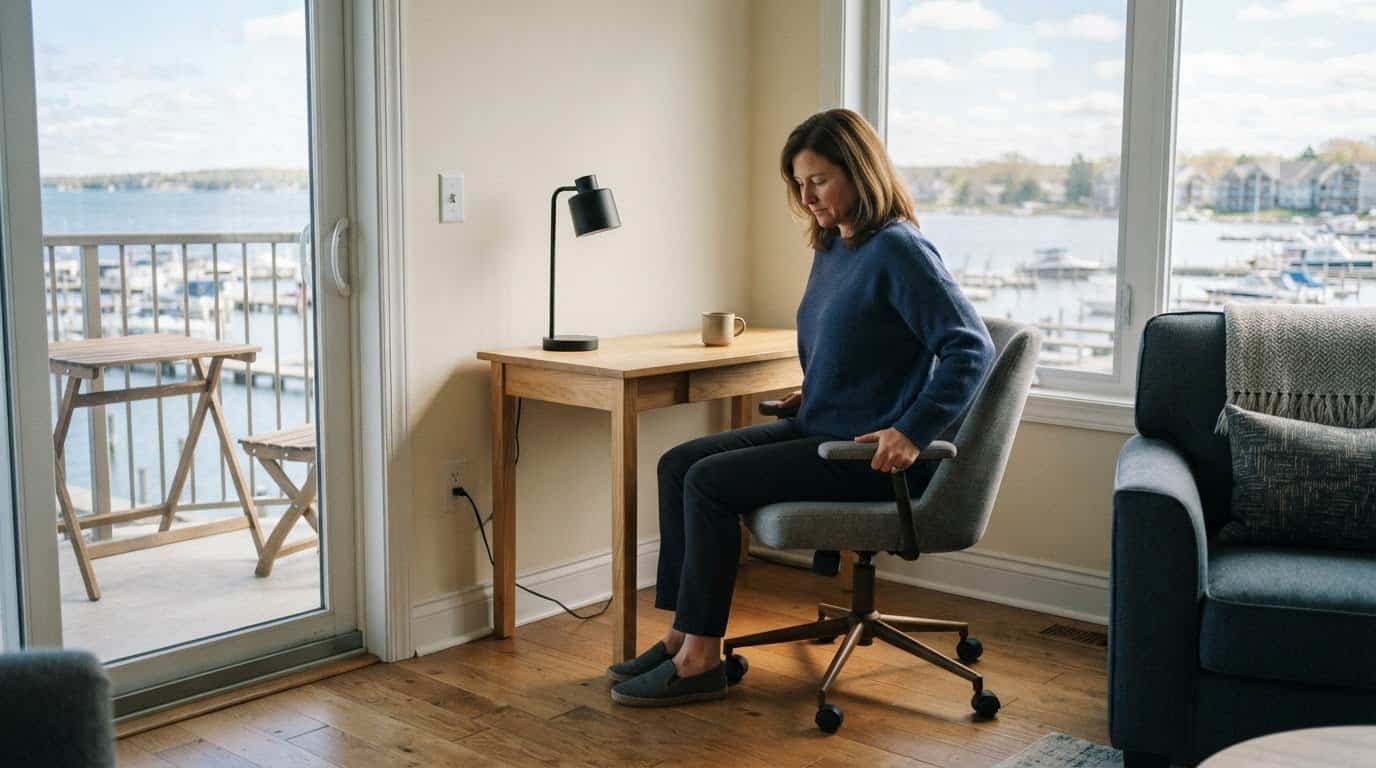
A peaceful hotel room is only a good office if the essentials work as well as the view. Knowing how to work remotely from a hotel room starts with a comfortable workspace, dependable internet, and seating that supports a full day at your laptop. First, confirm that your employer permits you to work from your chosen location.
It’s easy to picture a productive morning with a laptop open and a calm view beyond the window. A little preparation can help prevent a poor connection, an unsuitable chair, or an overlooked work rule from disrupting the day.
Here, you’ll learn what to look for in a hotel’s workspace and business amenities, how to assess its Wi-Fi and noise levels, and which work permissions to settle before your stay. You’ll also find practical ways to make your seating and routine more comfortable, so the workday feels manageable and leaves room to enjoy your surroundings.
Key Takeaways
- Look beyond a Wi-Fi-included listing: assess whether the room has the desk, lighting, outlets, and practical amenities your workday needs.
- Plan for quiet and connection reliability, with a backup option ready for important calls or focused tasks.
- Understand your employer’s location and security requirements before you settle into a remote-work routine.
- Make a hotel chair and laptop setup more comfortable with small posture-friendly adjustments and the right accessories.
1. Checking for a suitable workspace and business amenities
Planning how to work remotely from a hotel room starts with matching the room to your tasks. Look for a stable desk or table, a supportive chair, good lighting, and outlets within reach of your laptop. Printing or scanning services can help with document-heavy work, while a coffee station may simplify your morning routine.
There isn’t one best U.S. hotel for every remote worker. Choose a property based on the workspace and amenities your schedule requires, such as a desk for calls or a printer for paperwork. Rates vary with location, dates, room type, and stay length, so compare those factors alongside the features you’ll use.
For an extended stay, consider how the room supports both work and daily routines. A kitchen can make meals easier to manage, while housekeeping schedules affect privacy during calls. Reviewing a property’s amenities and services can help you picture how the space will function between work sessions.
Day-use rooms can provide a private workspace between travel connections or during a long layover. Check the booking period, internet access, work surfaces, and which on-property amenities are included. The practical way to work remotely from a hotel room is to choose a space that fits the tasks on your calendar, not just the location.
Protect work devices on hotel Wi-Fi by using your employer’s VPN and enabling two-factor authentication. Keep meeting links accessible offline, and convert scheduled calls to local time before travel. Block focused work and breaks in your calendar; a brief walk or stretch can mark the shift between tasks. With the right room setup and routine, you can work remotely from a hotel room while keeping your day orderly and downtime distinct.
2. Quiet workspaces and reliable high-speed internet
A hotel room can be a productive workspace when it offers quiet, stable internet, and a clear place to focus. Before booking, look for information about Wi-Fi performance, room noise, and the property’s surroundings. Construction or a busy street nearby may disrupt calls, while a quieter setting can make focused work easier. For important video meetings, connection stability matters as much as the Wi-Fi label.
Choose one area of the room for work, such as a desk beside a window, rather than moving between the bed and a table. Keeping your laptop, notes, and charger in one spot creates a clear boundary between work and rest. After arrival, run a connection speed test and open your usual meeting app. If the signal struggles in one corner, try another workspace in the room before your first call.
Pack a portable laptop stand, wireless keyboard, and mouse to create a more comfortable setup. A wireless charger keeps your phone accessible, while a portable monitor can help with document-heavy tasks. Bring a portable webcam if your laptop’s camera doesn’t suit your meetings. For unreliable Wi-Fi, a personal hotspot can serve as a backup; a nearby café may work for tasks that don’t require privacy.
Plan around interruptions, too. Place a Do Not Disturb sign on the door during calls, and save meeting links somewhere accessible offline in case the connection drops. A hotel room can suit focused work and confidential conversations; shared public areas may work better for informal collaboration or creative tasks. With a dedicated setup, tested connection, and backup plan, you can settle into work without letting travel disrupt your routine.
3. Checking employer permission and work rules
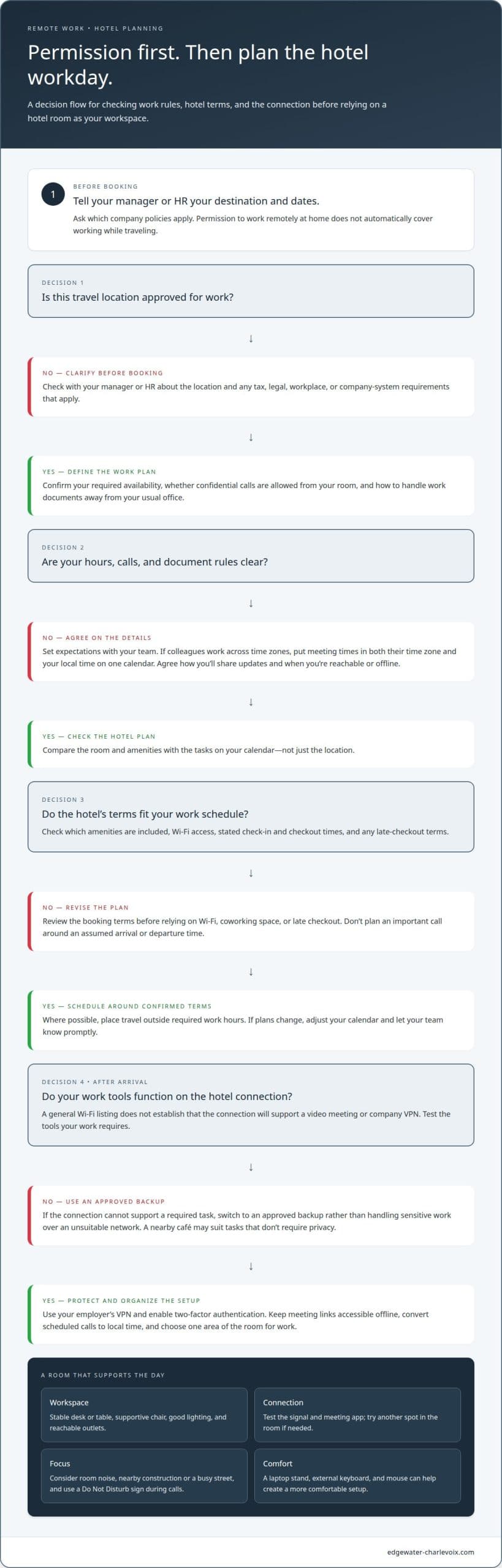
Before booking, get approval to work from the location where you plan to stay. Company tax, legal, and workplace rules may apply, so permission to work remotely at home doesn’t automatically cover working while traveling. Tell your manager or HR your destination and dates, then ask which company policies apply. This helps clarify whether your work location, schedule, or access to company systems needs to change.
Turn the answer into a practical plan. Confirm which hours you must be available, whether confidential calls are allowed from your room, and how to handle work documents away from your usual office. If your team works across time zones, put meeting times in both their time zone and your local time on one calendar. Agree on a routine for sharing updates, so colleagues know when you’re reachable and when you’re offline.
Hotel charges for Wi-Fi, coworking spaces, and late checkout depend on the property and booking terms. Review which amenities are included and whether late checkout is offered before relying on them in your work plan.
Flexible check-in and checkout can help fit travel around meetings, but don’t plan an important call around an assumed arrival or departure time. Check the stated times and any late-checkout terms before booking, then schedule travel outside required work hours where possible. If plans change, adjust your calendar and let your team know promptly.
Assess the hotel’s Wi-Fi for the specific work your employer permits. A general Wi-Fi listing doesn’t establish that the connection will suit a video meeting or company VPN. Once connected, test the work tools you rely on, such as your VPN and meeting platform, and follow your employer’s security procedures. If the connection doesn’t support a required task, switch to an approved backup rather than handling sensitive work over an unsuitable network. Clear permission, agreed hours, and a practical arrival plan help travel fit more comfortably around work.
4. Ergonomic seating and posture
A hotel desk can look inviting, but its chair and table may not suit a full workday. Before settling in, sit with your feet supported and shoulders relaxed. Check whether you can reach the desk without leaning forward and whether the screen is at a comfortable viewing height. If the chair feels too low, a folded towel can add height; if your feet dangle, use a stable bag as a footrest.
Hey Lou HOTELS recommends raising a laptop to eye level and using an external keyboard and mouse. A portable laptop stand or a stack of sturdy books can lift the screen, while a separate keyboard lets your hands rest lower. Keep the mouse close to the keyboard so you don’t need to reach across the desk. These adjustments make a compact hotel workspace easier to arrange.
Lighting matters, too. Position the screen to reduce glare from a window or lamp, then adjust the light so your face is visible during video calls. If the desk lamp casts shadows, move it beside the laptop rather than directly behind the screen. A clear view of your work and meeting participants helps you stay focused without squinting.
Test the setup with a short work session before your first meeting. Notice whether the chair encourages slouching, your wrists bend while typing, or the screen shifts when you move. Adjust the chair, laptop height, and lighting before your calendar fills. If the only desk is uncomfortable, a firm table and supportive cushion may be a better alternative to working from bed.
For a stay where you can arrange a more settled workspace, explore room options and consider how the layout could accommodate your work routine. A thoughtful setup, with the screen raised and input devices positioned comfortably, can make travel days feel more composed.
Edgewater Inn
Edgewater Inn provides a comfortable home base for professionals seeking how to work remotely from a hotel room while enjoying scenic waterfront views. Featuring One Bedroom Suites and Two Bedroom Suites equipped with full kitchens and private balconies overlooking the water, this destination offers a residential feel that elevates the standard travel experience. Reliable high-speed internet ensures productivity throughout the workday, while the serene harbor setting delivers a relaxing escape once your shift concludes.
For travelers needing a productive environment that seamlessly balances career obligations with leisure, explore the available suite configurations to find the ideal layout for your trip. Reach out to Edgewater Inn to plan your upcoming stay.
Make space for the stay you want
A work trip can be more than a change of office. Decide what you’d like the hours beyond your workday to hold, whether that means a quiet moment by the water, a stroll through Charlevoix, or simply unwinding in a space that feels like your own. Making room for personal time can help the trip feel more balanced.
Learning how to work remotely from a hotel room is also about choosing a setting that supports the kind of stay you want. As you plan, consider how to leave room for both your responsibilities and the appeal of being somewhere new. A change of scenery can feel rewarding without turning every free moment into an itinerary.
When you’re ready to plan your stay, contact Edgewater Inn about your stay. May your next workday away feel focused, and your time by the water feel entirely your own.
Frequently Asked Questions
How do you set up a productive workspace in a hotel room?
To set up a productive hotel workspace, clear a stable surface and keep work essentials together rather than spreading them across the room. Knowing how to work remotely from a hotel room starts with comfort: raise your laptop to eye level and use an external keyboard and mouse if available. Check that outlets reach your setup, light your face for calls, and keep chargers and water nearby.
How can you get reliable hotel Wi-Fi for video calls?
For steadier video calls, connect where the hotel staff says the signal is strongest, and pause cloud backups or streaming on your own devices. Edgewater Inn lists high-speed internet among its amenities, but for an important call, ask whether the connection reaches your suite and whether a wired connection is available. Keep an employer-approved mobile hotspot ready as a backup if your plan and device allow it.
How can you test hotel internet speed and bandwidth before booking?
Before booking, ask whether the hotel can share a recent speed test from a guest room rather than only the lobby, and whether it reflects a busy period. Check both download and upload performance, since video calls send as well as receive data. Ask whether other guests share the network and whether connection stability has been tested. For critical meetings, arrange an approved backup connection before travel.
How can you reduce noise and avoid interruptions while working in a hotel room?
To reduce noise, request a room away from elevators, ice machines, event spaces, or other busy areas, if the hotel can accommodate the request. Use headphones with a microphone, silence nonessential device alerts, and block calendar time for focused work. For private calls, let colleagues know when you’re available and use a neutral virtual background to keep room activity out of view.
What should you check with your employer before working remotely from a hotel?
Before working remotely from a hotel, confirm your employer permits it and ask IT about approved networks, VPN use, and handling confidential information. Check whether your role requires a private workspace or secure calls, and agree on your working hours and availability if you’ll be in a different time zone. If your employer has an equipment or travel policy, clarify what applies before you leave.